






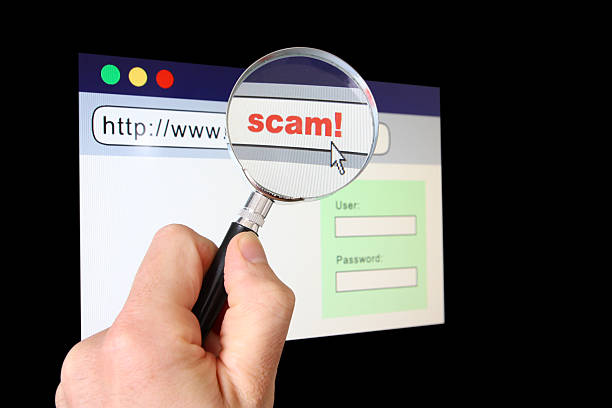
It’s not always easy to distinguish between a fake website and a real one. It could look nice, have a known logo, product pictures, even HTTPS in the address bar. Small things can be very dangerous, such as a changed letter in the domain name, a strange payment request, or a login form designed to steal a password. So before you put your name, credit card number, password, or other personal information on a website, you should know how to tell if a website is safe. Explores Everyday offers useful guides on technology and security for ordinary people.
This guide covers the checks you can run before trusting a site you don’t know well. There is no single sign that indicates a website is safe. There’s a better way to make sure a website is safe. It checks the address, browser warnings, payment options, site history, and what info the page wants.
Start With The Web Address
The URL deserves a close look before anything gets typed into a form. Scammers often build pages that copy real companies. The fake domain may replace one letter, add an extra word, or use a strange ending. At a glance, it can look correct. For example, a person expecting to visit a well-known store may land on a similar name with an added hyphen or extra character. That small change matters.
A useful website URL safety check should cover:
- The exact spelling of the domain
- Extra words before or after the brand name
- Odd subdomains
- Unexpected country or domain endings
- Links shortened so the real address stays hidden
- A domain that does not match the company shown on the page
NIST advises treating unexpected links with care because phishing messages often lead people to harmful pages or forms that collect login credentials and other sensitive data. When trying to learn how to check if a website is legit, reading the full URL is one of the easiest places to start.
HTTPS Helps, But It Does Not Prove The Site Is Honest
Many people assume the padlock or HTTPS means a website must be legitimate. That is not quite what it means. HTTPS website security protects the connection between the browser and the site. It helps stop other parties from easily reading information while it travels between those points. That matters. Yet a scammer can create an encrypted website too.
Google says Chrome shows whether a connection is secure, not secure, or dangerous. It still advises users to check the site name and understand where their information is being sent. So, does HTTPS mean a website is safe? No. A secure website connection means the data transfer is encrypted. It does not prove that the person receiving the information is trustworthy. That distinction is one of the most important checks a user can remember.
Take Browser Warnings Seriously
Modern browsers can warn users about known phishing pages, malware, harmful downloads, and other threats. Chrome uses Google Safe Browsing for this purpose. Google says phishing and malware detection is enabled by default. A red Dangerous site screen may appear when Chrome detects a known risk. Do not treat browser security warnings as an annoying screen to click through.
If a browser says a page may be dangerous:
- Leave the page.
- Do not enter a password or card number.
- Do not download anything.
- Open the company site by typing its known address yourself.
- Contact the company through information found independently.
Google Safe Browsing also checks sites against information linked to phishing, malware, unwanted software, and social engineering threats. Enhanced protection in Chrome can provide added checks for potentially dangerous sites and downloads. A warning does not need to be dramatic to matter. It is a reason to stop and verify.
Look For The Small Signs Of A Scam Website
Fake pages often fail in small ways. The spelling may feel off. Product text may sound copied. Buttons may lead nowhere. A company may claim to be based in the United States but list no clear business details.
Common signs of a scam website include:
- A domain that closely copies another business
- Huge discounts on nearly every product
- Pressure to buy within minutes
- Poor or copied product descriptions
- Missing return terms
- Strange contact details
- A login page reached through an unexpected message
- Requests for information the purchase does not need
- Payment methods that are difficult to reverse
These suspicious website warning signs matter more when several appear together. NIST notes that phishing attacks often use convincing messages to push users toward harmful links, downloads, or forms requesting sensitive information. Learning how to identify a fake website is essential for protecting your business from online threats. A polished page can still be fraudulent.
Be Careful With Fake Online Stores
An unfamiliar store may be real, but it deserves more checking before payment. Fake online store signs often include prices far below normal market levels. A shop may claim every popular product is almost sold out. Another may show a timer that resets after the page reloads. Before buying, search the store name with words such as complaint, scam, or review. Check whether the company has a history outside its own pages.
A person learning how to verify an online store should also read:
| Check | What to look for |
| Domain | Correct name and normal spelling |
| Contact details | A working and believable way to reach the seller |
| Return policy | Clear rules and reasonable terms |
| Product pricing | Prices that make sense for the market |
| Payment options | Normal methods with buyer protections |
| Site history | Independent information beyond the seller |
| Browser status | No security or dangerous-site warnings |
The FTC recommends researching unfamiliar sellers and reading shipping, return, and refund terms before buying. There is no single fake website checker that can replace these steps. Automated tools can help, but judgment still matters.
Question Deals That Feel Far Too Cheap
A deep discount is not proof of fraud. Real stores run sales every day. The concern begins when the price makes little business sense. A new phone, game console, designer item, or popular appliance sold at a tiny fraction of its usual price deserves more checking. Scammers know that urgency and excitement can make people act quickly.
They may combine low prices with messages about limited stock or a sale ending within minutes. That pressure is useful to the scammer because it reduces the time a buyer spends checking the site. Online shopping scam prevention often starts with one simple habit: stop before paying. Open another tab. Check normal prices. Search the seller. Read the return rules. Look closely at the domain again. A real deal will still be worth buying after a few minutes of checking.
Do Not Give A Site More Information Than It Needs
A shopping site may need a name, delivery address, and payment details. A newsletter may need only an email address. A page asking for far more should raise questions. For example, a simple retail purchase usually should not require a Social Security number. A basic download should not need bank login credentials. NIST lists requests for sensitive data, including bank account information and Social Security numbers, among phishing warning signs. Knowing how to protect personal information online includes asking why each field exists.
Before entering data, consider:
- Does the site really need this information?
- Is the request normal for this type of service?
- Did the user reach the page through a trusted path?
- Could the account be created with less information?
- Does the company say how the data will be used?
A privacy policy can provide useful context, although having one does not prove honesty. Scam sites can copy policies too.
Treat Unexpected Login Pages With Care
Some phishing pages exist for one purpose: stealing a username and password. The link may arrive in an email claiming an account needs attention. A text may say a package cannot be delivered. Another message may claim a payment failed. The page can closely copy a real login screen. Phishing website signs often appear before the page opens. The message may create a sense of urgency, request immediate action, or redirect the user to a domain unrelated to the real company.
NIST recommends caution with links and attachments in unexpected messages. When learning how to spot a phishing website, avoid signing in through a link sent unexpectedly. Instead, close the message and open the known company app or type its address directly into the browser. That one habit can stop many credential theft attempts.
Think Before Downloading A File
Unsafe websites do not only steal information through forms. Some try to install malware or unwanted software. A page may claim that a browser needs an urgent update. It might say a special player is required to watch a video. Another may display a fake virus alert with a download button. These are reasons to stop.
Google Safe Browsing can warn about malicious downloads and harmful sites, but no tool catches every new threat instantly. Software should come from the maker, an official app store, or another trusted source. Do not install an unfamiliar file because a random webpage says it is required. The same care applies to browser extensions. An extension can request broad website permissions, so users should check what access it wants before installing it.
A Fast Check Before Entering Personal Details
People often wonder, “Is this website safe?” when they are already on the checkout or login page. A short pause can help.
Before entering information, check these five things:
- Is the domain spelled correctly?
- Did the user reach it without clicking an unexpected message?
- Is the browser showing a warning?
- Does the request make sense for the task?
- Is the payment method normal?
If one answer feels wrong, stop. A broader how to check website security routine can include looking at the connection, domain, company history, privacy information, and independent reports. No website safety check can promise zero risk. The goal is to catch enough warning signs before sensitive information leaves the user’s control.
What To Do After Entering Information On A Fake Site
Mistakes happen quickly. A page may look real until after the form is submitted. Knowing what to do after entering information on a scam website can limit the damage. If you entered a password, change it on the real service right away. Change it anywhere else that used the same password. Chrome advises changing a password immediately when account activity suggests it may be compromised.
Turn on multi-factor authentication where possible. CISA states that MFA adds an additional layer, as a stolen password alone may not be enough to access the account. If card or bank information has been shared, contact the financial institution promptly. Explain what happened and ask what steps are needed to protect the account. For money already sent to a scammer, the FTC advises contacting the payment company promptly and asking whether the transaction can be stopped or reversed. Online identity theft prevention works best when action starts quickly.
A Few Minutes Of Checking Can Save A Bigger Problem
Scam websites are effective because they often look normal. A logo, polished layout, HTTPS address, and familiar checkout page can create confidence before trust has been earned. The safer habit is to check the domain, respect browser warnings, question unusual requests, and use payment methods with reasonable protections. Explores Everyday covers technology and security topics for people who want useful steps without highly technical language. The main lesson is simple: learning how to tell if a website is safe does not depend on one symbol or one tool. It comes from several small checks made before a password, card number, or other personal detail is submitted.
Frequently Asked Questions
How can you tell if a website is safe before entering personal information?
Check the full domain, browser warnings, HTTPS connection, company details, and reason for requesting the information. Search the business independently when it is unfamiliar. Never rely on a padlock alone. A secure connection protects data in transit, but it does not prove that the site owner is honest.
Does HTTPS and a secure connection mean a website is legitimate?
No. HTTPS means the browser has an encrypted connection with the site. That helps protect information during transfer. It does not verify that the business behind the page is trustworthy. Scam websites can use encryption too, so users should still check the domain and other warning signs.
What are the most common signs of a fake or scam website?
Common warning signs include look-alike domains, extreme discounts, urgent payment demands, weak return information, unexpected login forms, and requests for unnecessary sensitive data. A strange payment method is another concern. Several warning signs appearing together should be treated as a strong reason to leave the site.
How can you check whether an online shopping website is real?
Read the exact domain, search for the seller independently, review return and shipping terms, compare prices elsewhere, and verify standard contact details. Pay attention to how the seller wants payment. The FTC recommends researching unfamiliar sellers and avoiding merchants that demand hard-to-reverse payment methods.
What should you do if your browser says a website is dangerous?
Leave the site without entering information or downloading files. Do not simply bypass the warning. Google says Chrome can display Dangerous site warnings for known phishing, malware, unwanted software, and social engineering threats. Open the company through a known address if access is still needed.
What should you do after entering personal information on a fake website?
Change exposed passwords immediately and replace reused passwords on other accounts. Turn on multi-factor authentication. Contact the bank or card issuer if financial information was entered. Watch accounts for unknown activity. If money was sent, contact the payment provider promptly and ask whether the payment can be reversed.
Which payment method is safest when buying from an unfamiliar website?
A credit card can provide useful dispute rights for qualifying billing problems, making it preferable to hard-to-reverse methods in many online shopping situations. Avoid unfamiliar sellers that insist on gift cards, wire transfers, cryptocurrency, or payment apps as the only way to pay.











Leave a comment